Last Updated: 2026 | Category: AI Video Tools | Disclosure: This post contains affiliate links.
If you are creating content for TikTok, YouTube Shorts, or Instagram Reels in 2026, you already know the brutal reality: editing short-form video manually is a massive time sink.
Auto-captions, sound effects, zooming, finding hooks, and cutting long footage can eat up 4 to 6 hours for every single clip.
Enter the two undisputed heavyweights in the AI short-form video space: Opus Clip and Submagic.
Both promise to turn raw footage into viral shorts in minutes. But they approach the workflow from completely different angles—and picking the wrong one will either waste your credits or leave you frustrated with mediocre edits.
We stress-tested both platforms across 50+ hours of long-form podcasts, talking-head videos, and raw gameplay footage. Here is our completely unbiased, hands-on comparison to help you choose the right tool today.
⚡ Quick Verdict: Which Should You Pick in 30 Seconds?
Don’t have time to read the full breakdown? Here is the bottom-line rule of thumb:
| Creator Persona | The Winning Tool | Why It Wins | Action Link |
|---|---|---|---|
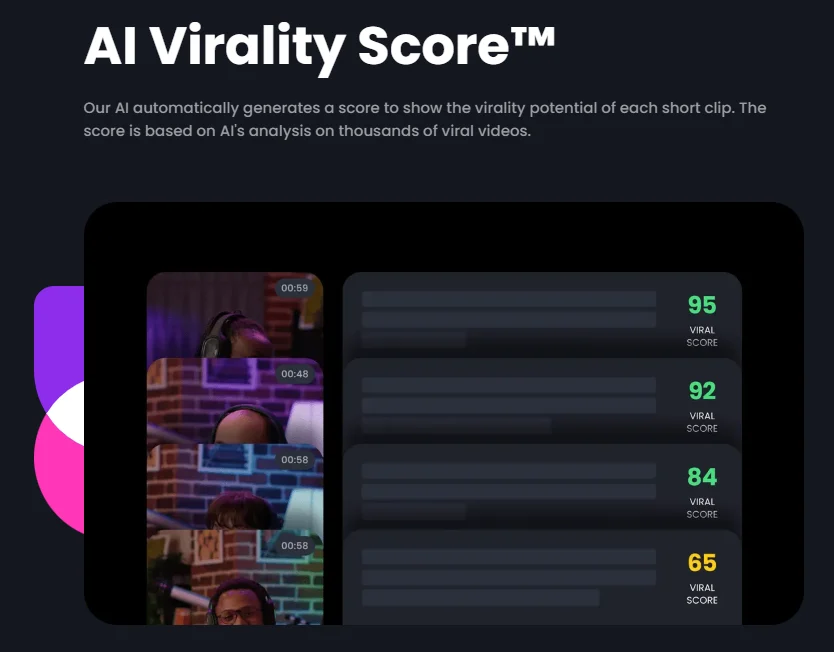
| Long-form Creators (Podcasts, Webinars, Interviews, Long YouTube Vlogs) | Opus Clip | Best for macro-cutting. Give it a 1-hour YouTube link, and its AI automatically pinpoints the top 10 most viral moments, generates hooks, and adds virality scores (0-100). | 👉 Try Opus Clip Free |
| Short-form Native Creators (Talking Heads, Solo Vloggers, TikTok & Reels Marketers) | Submagic | Best for micro-polishing. If you already have a 30-90 second raw clip, Submagic produces industry-leading dynamic “Hormozi-style” captions, auto B-roll, and auto-timed sound effects that keep retention sky-high. | 👉 Get 10% Off Submagic (Use code: VIP) |
📊 Feature Comparison Matrix: At a Glance
| Feature / Metric | Opus Clip | Submagic |
|---|---|---|
| Primary Strength | Splitting long videos into viral shorts | Adding viral captions, B-roll & SFX |
| Input Source Support | YouTube Link, Zoom, Rumble, MP4, Google Drive | MP4, MOV files, YouTube link |
| Max Video Input Length | Up to 3 hours per upload | Up to 15-30 minutes per clip |
| AI Virality Score | ✅ Yes (0-100 score + hook rationale) | ❌ No |
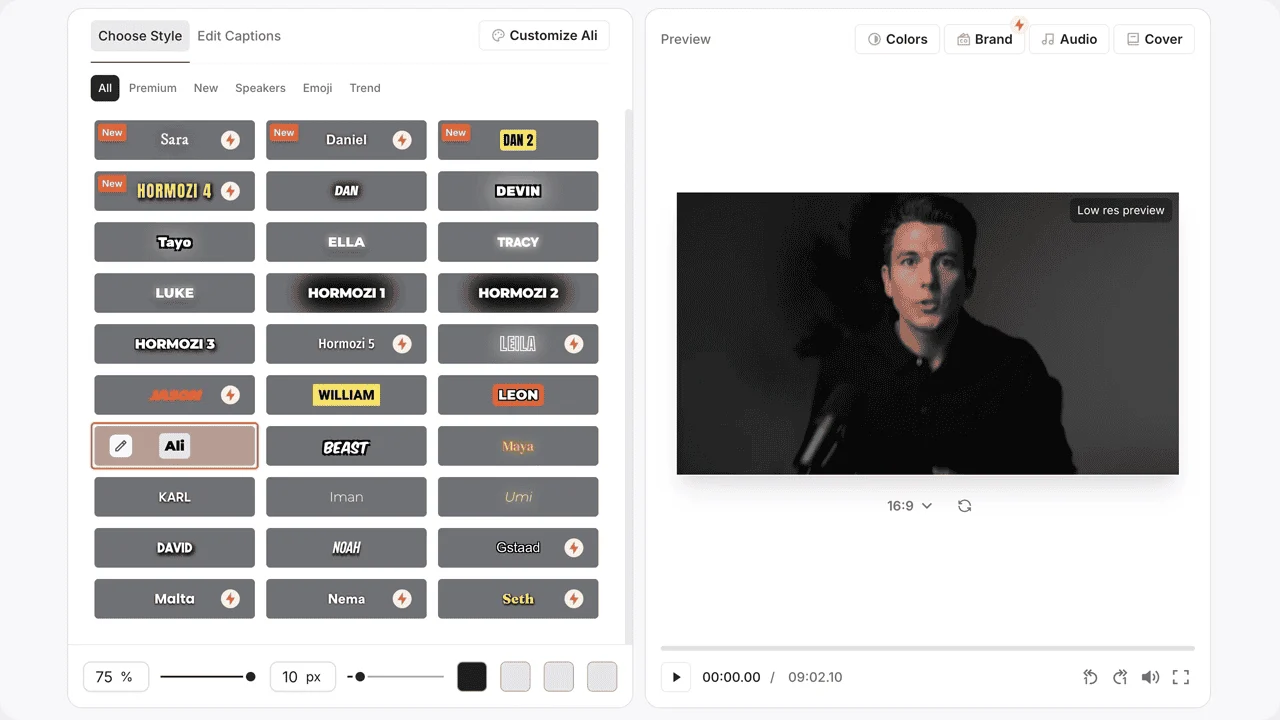
| Caption Styles & Presets | Good (Multiple viral font styles, emoji sync) | ⭐ Industry Best (Hormozi, MrBeast, Ali Abdaal styles) |
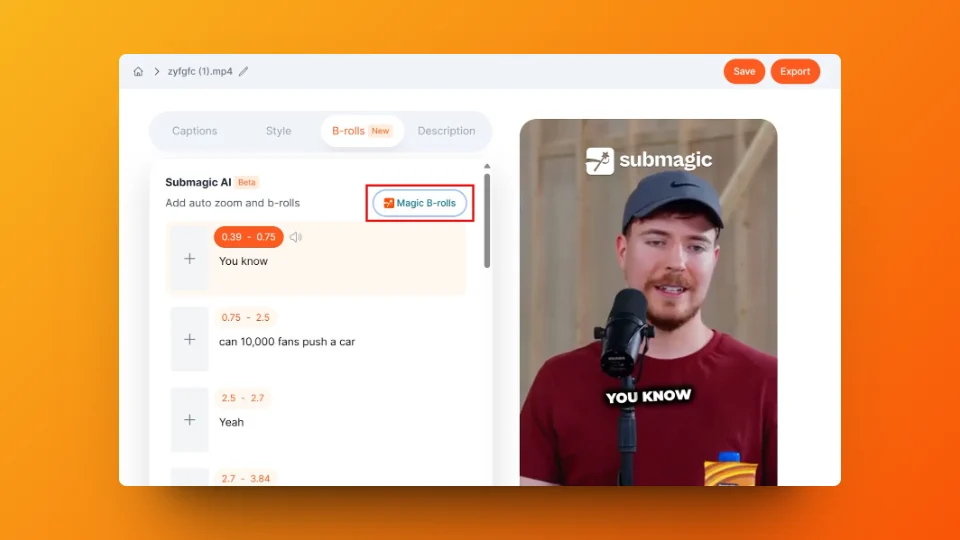
| Auto B-Roll Integration | Decent (Pexels / Storyblocks auto-insert) | ⭐ Superior (High-relevance B-roll + auto transitions) |
| Auto Sound Effects (SFX) | Basic whooshes & pops | ⭐ Exceptional (Contextual sound effects & background music) |
| Multi-Speaker Face Tracking | ✅ Automatic dual-cam reframing | ⚠️ Basic reframing |
| Export Resolution | 1080p (4K on higher tiers) | 1080p / 4K |
| Free Plan / Trial | 60 mins/month free (with watermark) | 3 free trial exports |
| Starting Price | $9 / month (Starter) | $20 / month (Basic) |
| Our Rating | 4.8 / 5.0 | 4.7 / 5.0 |
Round 1: AI Hook Finding & Video Splitting
Opus Clip: The undisputed master of long-form video
If you produce long-form content (like podcasts, YouTube tutorials, or Zoom interviews), Opus Clip is essentially an autonomous video editor:
* You paste a YouTube URL.
* Within 3 to 5 minutes, it analyzes the entire audio transcript, detects tonal shifts, identifies punchy arguments or emotional climaxes, and spits out 10 to 15 standalone short clips.
* Best of all, it assigns each clip an AI Virality Score (e.g., Score: 92 – High virality probability based on a strong opening question and fast narrative loop).
Submagic: Built for pre-cut footage
Submagic does have auto-trimming capabilities, but its core engine is not designed to digest a 2-hour podcast and intelligently find golden soundbites. It expects you to feed it a clip that is already relatively focused (e.g., a 60-second video you recorded on your phone) and turns that single video into a polished masterpiece.
🏆 Round 1 Winner: Opus Clip (By a landslide for long-form creators).
Round 2: Caption Quality, Typography, and Animation
Captions are no longer optional—over 70% of mobile users watch short-form videos with the sound muted.
Submagic: The gold standard for retention-driven captions
Submagic made its name by perfecting dynamic, kinetic captions:
* It offers signature presets popularized by top creators like Alex Hormozi and MrBeast (word-by-word bouncing, custom brand colors, drop shadows, and automatic emoji pairing).
* The speech-to-text accuracy is remarkably high (above 97% in our tests across multiple accents).
* Word animations feel snappy and rhythmic, directly boosting watch time.
Opus Clip: Solid, but less customizable
Opus Clip’s captions have improved tremendously with auto-highlighting keywords and emoji auto-generation. However, the styling options feel slightly more rigid. If you want hyper-stylized typography that looks like it took 3 hours in Adobe Premiere Pro, Submagic has the edge.
🏆 Round 2 Winner: Submagic.
Round 3: B-Roll, Sound Effects (SFX), and Magic Enhancements
Raw talking-head clips get boring after 5 seconds. To retain viewers, you need visual pattern interrupts (B-roll footage) and auditory cues (sound effects).
- Submagic’s “Magic B-Roll”: It reads your transcript contextually. If you say “when interest rates skyrocketed”, it automatically searches its royalty-free stock library, inserts a high-quality video clip of a falling graph, and overlays a dramatic “whoosh” sound effect right on beat. You can swap B-roll clips with a single click.
- Opus Clip’s Auto B-roll: Opus Clip recently added auto B-roll overlay, but the contextual matching is occasionally hit-or-miss, and the sound design library is far more limited compared to Submagic.
🏆 Round 3 Winner: Submagic.
Round 4: Speaker Detection and Framing
When a podcast features two or three people talking, vertical (9:16) video needs to follow the conversation seamlessly.
- Opus Clip: Features outstanding Active Speaker Detection. If host A asks a question and guest B responds, Opus Clip automatically cuts or splits the screen into a dual 9:16 layout without awkward cropping.
- Submagic: Primarily geared towards solo creators or centered single-camera talking heads. Multi-speaker tracking requires manual layout adjustments.
🏆 Round 4 Winner: Opus Clip.
⚠️ The Fine Print: What the Marketing Pages Don’t Tell You
Every review site gives 5 stars to everything. Here are the honest frustrations we experienced with both tools:
Opus Clip Drawbacks:
- Occasional Awkward Cuts: If a speaker takes a weird breath or mumbles the end of a thought, Opus Clip sometimes cuts the sentence 0.5 seconds too early, requiring manual timeline trimming in their editor.
- Template Rigidity: You cannot create fully custom motion graphic templates from scratch like you can in CapCut or Premiere.
Submagic Drawbacks:
- Higher Cost Per Minute: Submagic’s plans are more expensive if you are processing high volumes of footage.
- Not Suitable for Full Podcasts: Trying to feed a 2-hour raw interview into Submagic is clunky and inefficient.
💰 Pricing & Value for Money
| Tier | Opus Clip | Submagic |
|---|---|---|
| Free Tier | 60 free minutes/month (Watermarked) | 3 free trial videos |
| Entry Level | $9 / month (150 processing minutes) | $20 / month (20 videos, max 90s each) |
| Pro / Power User | $29 / month (300 processing minutes) | $50 / month (Unlimited video length, 100 videos) |
- If you are on a tight budget: Opus Clip offers significantly better value ($9/mo for 150 minutes of footage processing vs Submagic’s $20/mo starting price).
- If client-quality retention is your #1 priority: Submagic’s superior caption engine and sound design justify the premium price tag.
🎯 The Final Decision: Which One Should You Buy?
Buy Opus Clip if:
- You run a podcast, webinar, long YouTube channel, or interview show.
- You want an AI editor that watches the whole video for you and extracts the best moments hands-free.
- You need the lowest cost per minute of video processed.
- 👉 Click here to test Opus Clip for free
Buy Submagic if:
- You record dedicated vertical videos directly on your phone or camera (talking heads, tips, fitness, real estate).
- You want high-energy, Alex Hormozi-style animated captions and auto-timed sound effects with zero editing skills.
- Your primary metric is retention rate and viewer engagement.
- 👉 Click here to get 10% off Submagic with code: VIP
❓ Frequently Asked Questions (FAQ)
Q1: Can I use Opus Clip and Submagic together?
Yes, and this is a popular secret workflow among top agencies. Many power creators use Opus Clip first to extract the top 10 moments from a 1-hour interview, download the raw clips, and then drop the best 2 clips into Submagic to apply high-engagement captions and audio polish.
Q2: Does Submagic offer a free plan?
Submagic offers a free trial that allows you to create up to 3 videos to test the transcription quality and captions. To export without watermarks and access full B-roll libraries, you will need to upgrade to their Basic plan ($20/mo).
Q3: Is Opus Clip completely free?
Opus Clip offers 60 free processing minutes every single month on their Free plan. Free exports include an Opus Clip watermark. Upgrading to their $9/month Starter plan removes the watermark and unlocks 1080p HD exports.
Q4: Which tool is better for non-English content?
Both tools support over 20+ languages including Spanish, French, German, Portuguese, and Japanese. However, Submagic’s font rendering for non-Latin languages tends to feel slightly more natural.