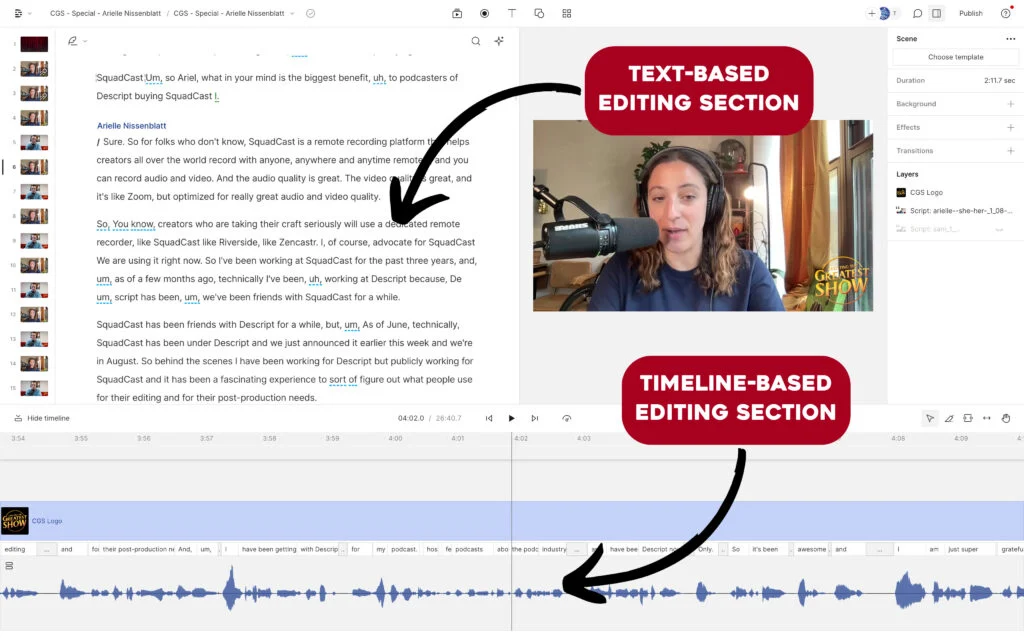
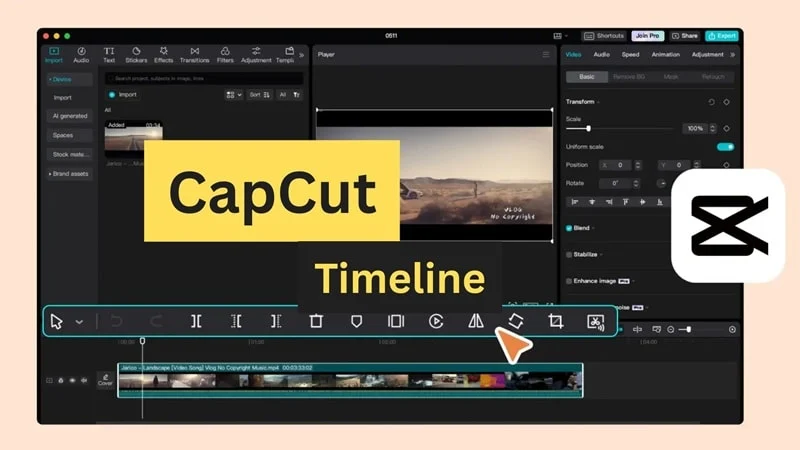
Choosing between Descript and CapCut comes down to a fundamental philosophical difference: do you want to edit video like a Word document using text transcripts, or do you want viral, trending visual effects and dynamic timeline tools?
• Choose Descript if you host podcasts, talk shows, or webinars. Its text-based audio editing, filler word removal (“um” & “uh” removal), and AI Voice cloning are lightyears ahead for spoken content.
• Choose CapCut if you are creating fast-paced TikTok, YouTube Shorts, or Instagram Reels where stickers, transitions, viral music sync, and aggressive pacing drive views.
📊 Descript vs CapCut: Side-by-Side Comparison
| Feature | Descript | CapCut (Desktop/Pro) |
|---|---|---|
| Primary Editing Model | Text-based transcript editing (Edit like a doc) | Traditional multi-track timeline |
| Filler Word Removal | ⭐ One-click removes all “ums”, “uhs”, and pauses | Basic manual cut |
| AI Voice Clone / Overdub | ⭐ Yes (Replace misspoken words with cloned voice) | Text-to-speech presets only |
| Viral Effects & Keyframing | Basic animations & lower-thirds | ⭐ Massive library of trending transitions & 3D zooms |
| Music & SFX Library | Good corporate/podcast royalty-free music | ⭐ Direct TikTok trending commercial music library |
| Pricing | Free tier, then $12 – $24 / month | Free tier, then $9.99 / month (Pro) |
1. The Text-Based Editing Revolution: Descript
Descript transcribes your video automatically with 98% accuracy. To cut out 2 minutes of fluff, you simply highlight the text and press “Backspace”—the video cuts itself seamlessly. Its Studio Sound feature also turns noisy laptop microphone recordings into broadcast studio-quality audio with one click.
2. The Viral Content Machine: CapCut
CapCut is built by ByteDance (the parent company of TikTok). Every trending meme, speed ramp, viral caption animation, and motion blur filter is natively integrated. If your content depends on 0.5-second visual stimulation, CapCut renders it effortlessly.
